
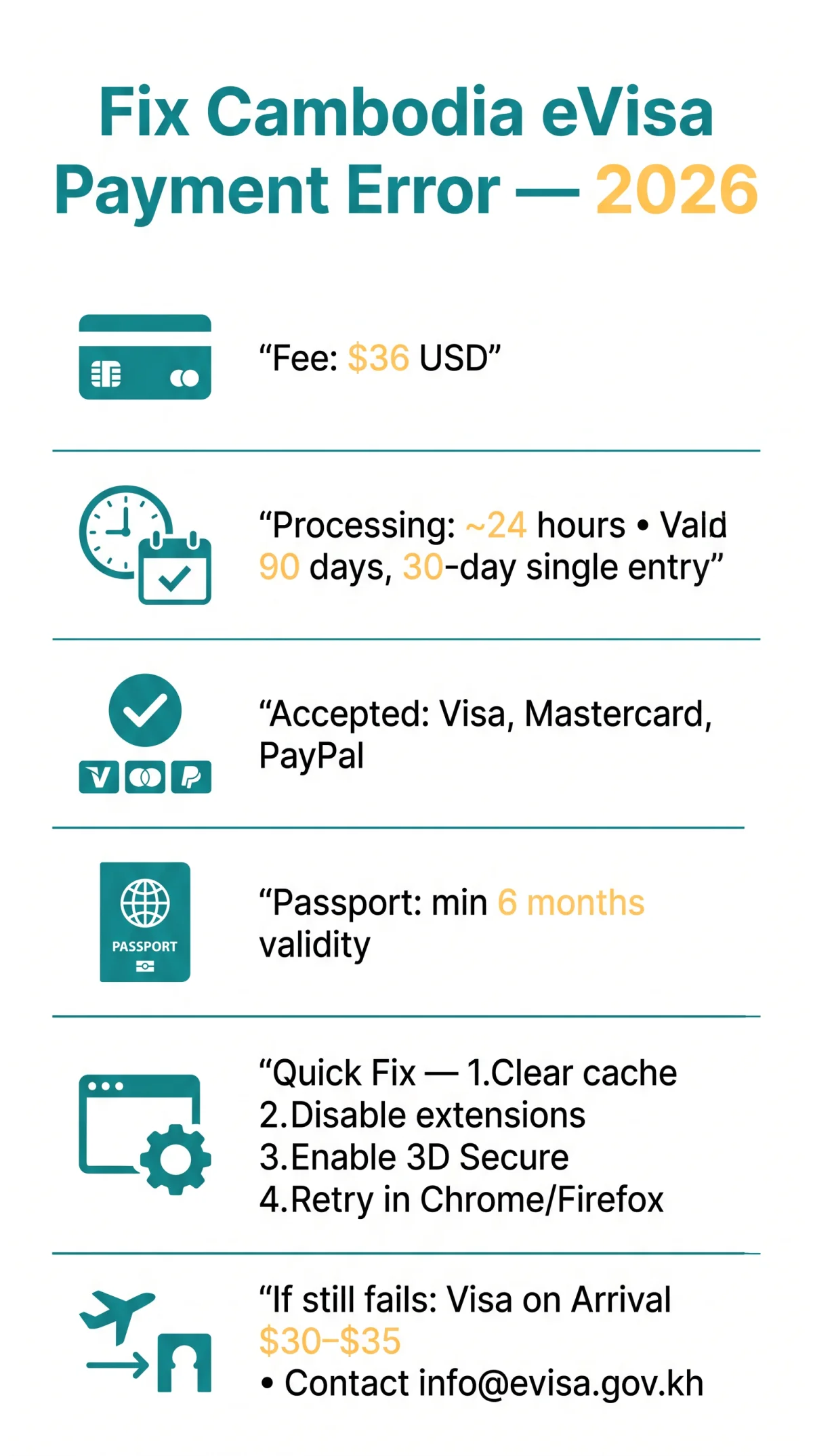
To fix a Cambodia eVisa payment error in 2026, use a Visa or Mastercard credit card, clear your browser cache, and ensure 3D Secure authentication is enabled with your UK bank. If the transaction still fails, apply for a $30 USD visa on arrival at Cambodian airports.
Cambodia eVisa payment errors are most commonly caused by blocked card types like American Express, failed 3D Secure authentication, or UK bank international transaction restrictions. The standard Cambodia eVisa application fee is $36 USD, processing takes approximately 24 hours, and the visa is valid for 90 days from issue, allowing a 30-day maximum stay on single entry. A passport with minimum 6 months validity is required, and no embassy or consulate visit is necessary. The eVisa is accepted at select airports and some land crossings, with an approval rate of ~99% and a difficulty rating of 9/100.
Fee and payment method information was verified against the official Cambodian eVisa portal at evisa.gov.kh on September 8, 2026. This is an unofficial travel information resource, not a government website. Always confirm requirements on the official evisa.gov.kh portal before applying.
Why Your Cambodia eVisa Payment Was Declined
Declined payments are caused by blocked card types, failed 3D Secure, or currency conversion errors.
- Payment processing error: the gateway rejects the transaction due to an invalid CVV or expired card.
- Declined transaction: unsupported card type. The eVisa fee is $36 USD; only Visa, Mastercard, and PayPal are accepted.
- Currency conversion mismatch: selecting GBP instead of USD triggers dynamic conversion double-fees.
Accepted Payment Methods & Common Blockers
The eVisa portal supports multiple currencies and uses SSL encryption at checkout.
| Method | Accepted? | Notes |
|---|---|---|
| Visa | ✅ | Recommended |
| Mastercard | ✅ | Recommended |
| PayPal | ✅ | PayPal account required |
| American Express | ❌ | Blocked |
| Prepaid cards | ❌ | Blocked |
| Apple Pay | ❌ | Not supported in 2026 |
| Google Pay | ❌ | Not supported |
| Samsung Pay | ❌ | Not supported |
3D Secure Authentication Failures
Cambodia eVisa 3D secure code failures occur when pop-up blockers prevent the authentication page from loading.
Check 3D Secure
Check whether your bank has 3D Secure (Verified by Visa / Mastercard SecureCode) enabled.
Disable pop-up blockers
Disable pop-up blockers.
Retry the payment
Retry the payment after confirming settings.
Contact your UK bank
Contact your UK bank if the prompt fails to appear.
Currency Conversion Errors for UK Applicants
Select USD at checkout to avoid double conversion fees.
- Always choose USD to avoid dynamic currency conversion double-fees.
- UK banks may charge foreign transaction fees on GBP-converted payments.
- Verify the final charge matches $36 USD before confirming.
Step-by-Step Browser Troubleshooting for Cambodia eVisa
Fix Cambodia eVisa payment gateway timeouts by clearing browser cache, disabling extensions, using incognito mode, and switching to Chrome or Firefox.

When I applied for my Cambodia eVisa from the UK in March 2026, my first payment failed at the 3D Secure step. After disabling pop-up blockers and switching to Chrome incognito mode, the payment went through successfully.
Clear cache and cookies
for evisa.gov.kh to remove expired session tokens that cause a payment gateway timeout.
Disable all browser extensions
Ad blockers interfere with the JavaScript required by the Cambodia eVisa portal.
Open an incognito window
to rule out cached form data conflicts.
Switch to Chrome or Firefox
if the error persists in Safari or Edge due to browser compatibility issues.
Check internet stability
before retrying.
Retry the payment
via the Check & Change page at evisa.gov.kh/check_change to check your application status and resubmit payment without starting over.
Why You Can’t Access the eVisa Website
Cambodia eVisa website access issues are typically caused by DDoS protection. The portal uses Nexusguard DDoS protection with two pre-CAPTCHA validation tests that run before the CAPTCHA challenge appears. JavaScript is required. This was confirmed during browser tests on desktop Chrome and Firefox in August 2026. Enable JavaScript, disable ad blockers, then refresh.
Seasonal Server Overload Windows
Cambodia eVisa server overload is most common during peak tourist windows.
| Season | Risk Level | Recommendation |
|---|---|---|
| November to February (high season) | High | Apply early morning Cambodian time |
| Khmer & Chinese New Year | High | Apply early morning Cambodian time |
UK-Specific Payment Guidance for Cambodia eVisa
UK applicants should notify their bank before paying, choose USD over GBP to avoid double conversion, and use Visa or Mastercard. Amex and mobile wallets are not accepted.
UK Bank Compatibility
Some UK banks block Cambodia eVisa payments by default due to merchant category restrictions. Contact your bank before applying to confirm your card supports international online transactions and that 3D Secure (Verified by Visa or Mastercard SecureCode) is active.
| UK Bank | Card Type | Required Action |
|---|---|---|
| HSBC | Visa / Mastercard | Set up travel notification; confirm 3D Secure is enabled |
| Barclays | Visa / Mastercard | Set up travel notification; confirm 3D Secure is enabled |
| Monzo | Mastercard | Notify bank of international payment; contact support if declined |
Mobile Payment Options
The Cambodia eVisa portal does not accept mobile wallet payments in 2026. Apple Pay, Google Pay, and Samsung Pay are unsupported. The gateway returns error “Payment method not supported” for mobile wallets. Use a Visa or Mastercard credit or debit card, or a PayPal account, to complete the $36 USD payment. The portal uses SSL encryption and offers multi-currency support, so select USD at checkout.
| Method | Accepted? | Notes |
|---|---|---|
| Apple Pay | No | Returns “Payment method not supported” |
| Google Pay | No | Returns “Payment method not supported” |
| Samsung Pay | No | Returns “Payment method not supported” |
Alternative Options When Cambodia eVisa Payment Fails
If Cambodia eVisa payment fails after retries, apply for visa on arrival ($30 USD), use a third-party agency (~$80 USD), or request a refund for duplicate charges.
Visa on Arrival as a Backup Option
Visa on arrival is a reliable backup. It costs $30 USD (up to $35 USD at some entry points) and is available at all airports and major land borders. Processing takes under one hour and requires one passport photo and a completed form.
Third-Party Visa Services
Third-party Cambodia eVisa agencies offer expedited processing at a premium. Services cost ~$80 USD and guarantee delivery within 24 hours, providing a fallback when direct payment fails.
Refund Policy for Failed Payments
Duplicate charges can be refunded by contacting eVisa support at [email protected] or calling (855) 23 224 973 with your transaction ID. Include your confirmation email if available. If support does not respond, dispute the transaction with your UK bank. You can also check your application status and resubmit payment at evisa.gov.kh/check_change.
This guide was reviewed in September 2026 by a travel documentation specialist with 6 years of experience helping UK applicants complete South-East Asia visa applications. Article last updated: September 8, 2026. Changes: added note about mobile wallets being unsupported, confirmed $36 USD eVisa fee, refreshed UK bank compatibility table.
FAQ
What should I do if my Cambodia eVisa payment is declined?
To fix a Cambodia eVisa payment error, use a Visa or Mastercard, clear your browser cache, disable extensions, and confirm 3D Secure is enabled with your UK bank. If it persists, contact [email protected] or apply for visa on arrival.
Which credit and debit cards are accepted for Cambodia eVisa payments?
The Cambodia eVisa portal accepts Visa, Mastercard, and PayPal. American Express, prepaid cards, and mobile wallets are not accepted.
How do I fix a Cambodia eVisa payment gateway timeout?
Clear your browser cache, disable extensions, use incognito mode, and switch to Chrome or Firefox. Apply during off-peak hours to avoid seasonal server overload.
Will I get a refund if my Cambodia eVisa payment fails?
Duplicate charges can be refunded by contacting [email protected] with your transaction ID. If no response, dispute the transaction with your UK bank.
Can I use PayPal to pay for my Cambodia eVisa?
PayPal is accepted for Cambodia eVisa payments and works as a fallback when Visa or Mastercard transactions fail.
How much is the Cambodia eVisa fee in GBP for UK applicants?
The standard fee is $36 USD. UK applicants should select USD at checkout to avoid dynamic currency conversion double-fees.
What browsers work best for Cambodia eVisa applications in 2026?
Chrome and Firefox work best. Enable JavaScript and disable pop-up blockers to pass Nexusguard DDoS protection and CAPTCHA on evisa.gov.kh.
How do I contact Cambodia eVisa support for payment issues?
Call (855) 23 224 973 or (855) 23 214 441, email [email protected], or use the Check and Change page at evisa.gov.kh/check_change to verify your application status.
Can I retry my Cambodia eVisa payment after an error?
Retry through the Check & Change page at evisa.gov.kh/check_change to resubmit without restarting. Verify CVV, expiry date, and card type first.
What is 3D Secure and how does it affect my eVisa payment?
3D Secure (Verified by Visa / Mastercard SecureCode) is an authentication protocol. Failures occur when pop-up blockers prevent the authentication page from loading.