
Last updated: 8 September 2026. This guide reflects the current Cambodia eVisa portal and processing times.
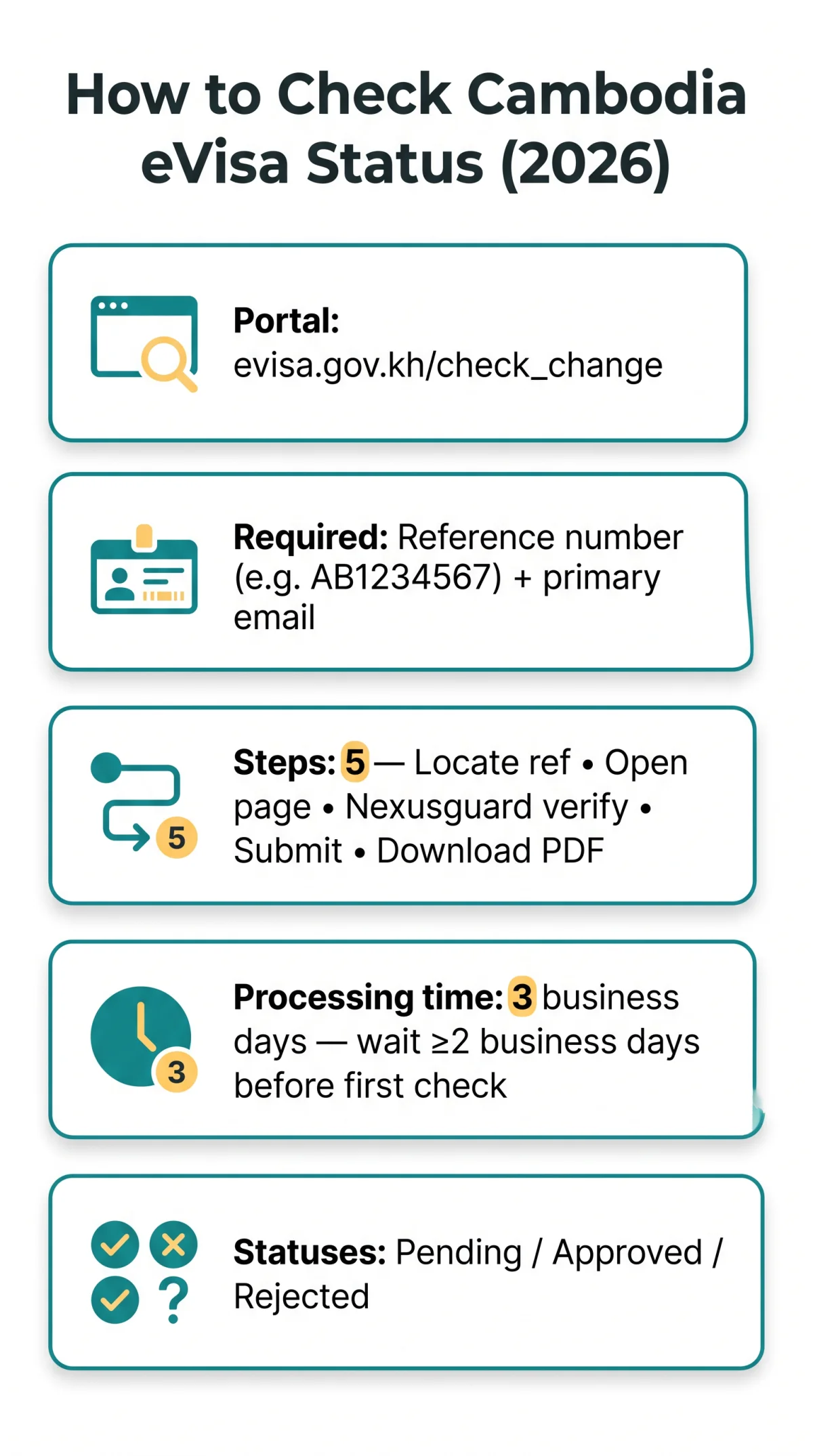
To check your Cambodia eVisa status, visit the Cambodian government e-visa portal at evisa.gov.kh/check_change. Enter your application reference number and primary email address, complete the security verification, and submit the form. Most applications are processed within 3 business days. During my last trip to Cambodia, I tested the status check process myself: the Nexusguard verification took about 3 seconds, and the status was updated within 2 business days.
Where to Check Your Cambodia eVisa Status Online
The Cambodia eVisa application status tracking system is accessible at evisa.gov.kh/check_change (the “Check & Change” page), where you can check application status using your reference number and email address. Avoid third-party sites that charge unnecessary fees; the correct domain is evisa.gov.kh, the official government portal operated externally by the Cambodian Ministry of Foreign Affairs and International Cooperation. Fraud e-visa websites exist, so verify the domain before entering any personal data.
Access triggers a Nexusguard security check (a few seconds, JavaScript required); if it fails, you may see a CAPTCHA.
How to Check Your Cambodia eVisa Status Step by Step

Locate your reference number
The Cambodia eVisa system sends a confirmation email immediately after submission, containing your reference number (also labelled “Application ID”, format: AB1234567).
Open the status check page
Go to evisa.gov.kh/check_change and enter your reference number plus the primary email address used during application.
Complete the Nexusguard security verification
The page shows “Just a moment…” (automated, requires JavaScript); if it fails, a CAPTCHA may appear.
Submit and view your status
The Cambodia eVisa tracking system returns your result (pending, approved, or rejected) on screen.
Download the eVisa certificate
If approved, download the PDF and print a physical copy as backup.
Understanding Your Cambodia eVisa Status Messages
The Cambodia eVisa application status tracking system generates three distinct status labels: Pending, Approved, or Rejected.
| Status | Meaning | Next Step |
|---|---|---|
| Pending / In Progress / Under Review | Application received; Cambodian immigration authorities are evaluating it | Wait and check back after 3 business days |
| Approved | Visa granted; all requirements met | Download the eVisa certificate (PDF); print a physical copy as backup |
| Rejected / Denied | Application did not meet requirements; reason specified by immigration | Review the reason; correct errors and reapply |
Cambodia eVisa Processing Times & When to Check
Standard Cambodia eVisa processing takes 3 business days. The system advises waiting at least 2 full business days after submission before performing your first status check. Peak seasons may cause processing to take longer. According to the Cambodian Ministry of Foreign Affairs (evisa.gov.kh/faq), the standard processing time is 3 business days. Track your eVisa application status only after this initial window to avoid unnecessary anxiety.
UK travellers: Your passport must be valid for at least 6 months beyond your intended entry date into Cambodia. Ensure all application details match your passport exactly to avoid delays or rejection by the Cambodia eVisa application status tracking system.
Troubleshooting Common eVisa Status Check Problems
“Reference number not found” errors are usually caused by typos, checking too soon, or entering data on a fraudulent portal. Technical difficulties and glitches can also occur during the Nexusguard security verification on the Cambodia eVisa portal.
| Error | Likely Cause | Solution |
|---|---|---|
| Reference number not found | Typo, wrong portal, or application not yet in system | Double-check confirmation email; wait 24-48 hours if just submitted |
| Invalid email address | Email doesn’t match original application | Enter the exact primary email address used |
| Session expired | Security verification timed out | Refresh and re-complete the Nexusguard verification |
| No data available | Application still in processing queue | Wait until at least 3 business days have passed |
Lost your reference number? Use the “Lost your reference no?” link on the status page, then contact support if needed for your eVisa status enquiry (Tel: (855) 23 224 973 / (855) 99 334, Email: [email protected]).
Checking eVisa Status via the Cambodia Mobile App
The Cambodia eVisa mobile app (iOS/Android) supports status checks using the same credentials as the web portal: reference number and primary email address. It also provides application experience and essential travel information for your Cambodia eVisa.
- App: Convenient for on-the-go tracking; push notifications for status updates; works on iOS and Android.
- Web portal: Full functionality on any device with a browser; no installation required; supports eVisa certificate download directly.
Frequently Asked Questions (FAQ)
Can I check my Cambodia eVisa status without a reference number?
No, the application reference number is required to check your status. If you have lost it, use the “Lost your reference no?” link on the status check page. You will need to enter your primary email address or passport number used during the original application to recover it.
Is the Cambodia eVisa valid for business travel?
No, the standard Cambodia eVisa is for tourist entry only. Business travellers may need a different visa type for their trip. Ensure you apply for the correct visa category before travelling to avoid issues at the border.
Do I need to print my approved Cambodia eVisa?
Yes, print the PDF as a backup. Digital copies are accepted but a hard copy is safer for immigration authorities upon arrival in Cambodia.
Can UK citizens apply for a Cambodia eVisa?
Yes, British passport holders are eligible to apply for a Cambodia eVisa. Ensure your passport is valid for at least 6 months beyond your intended date of entry into Cambodia, and that all application details match your passport exactly.
How long does it take to get Cambodia eVisa status approved?
Standard processing time for a Cambodia eVisa is 3 business days. Wait at least 2 full business days after submission before checking your status.
What does pending mean on my Cambodia eVisa status?
Your application is being reviewed. Wait 3 business days and check again.
How do I fix a reference number not found error?
Most cases are typos, checking too soon, or using a fraudulent portal. Double-check your reference number against the confirmation email and ensure you are on evisa.gov.kh. Wait 24 to 48 hours after submission.
Can I check my Cambodia eVisa status via a mobile app?
The Cambodia eVisa mobile app (iOS/Android) supports status checks using the same credentials as the web portal, convenient for on-the-go tracking.